Trench Reports and Image/CAD Export
Grøft Design® provides several different trench reports for download, and it is also possible to export the trench cross-section as an image, CAD, or PDF file (PDF, SVF, PNG, DXF). These reports and exports can be accessed from several locations within the application:
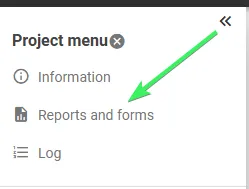
- Via the “Reports and forms” button in the project menu:
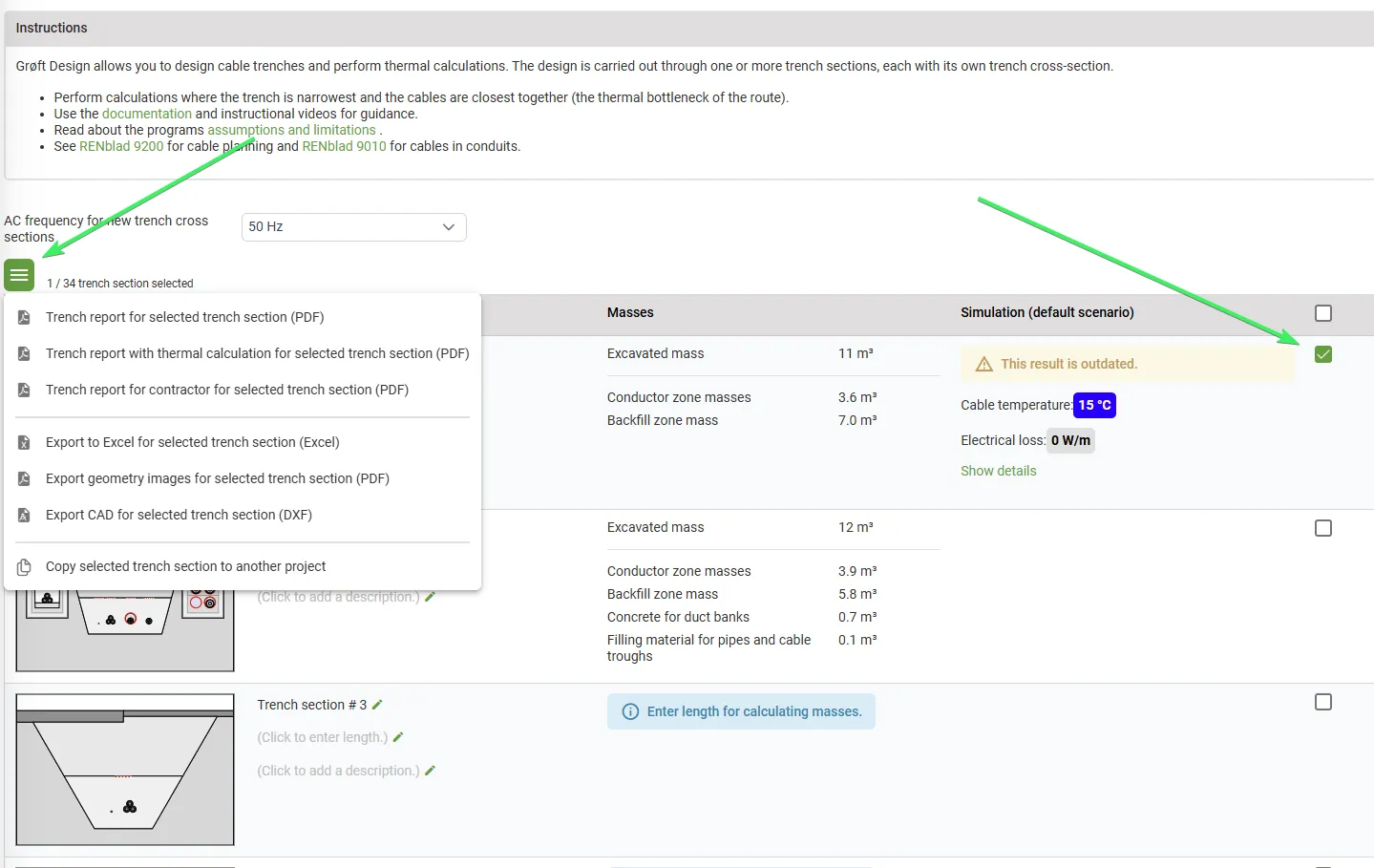
- By selecting a specific Trench cross-section in the overview page:
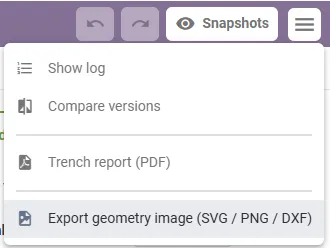
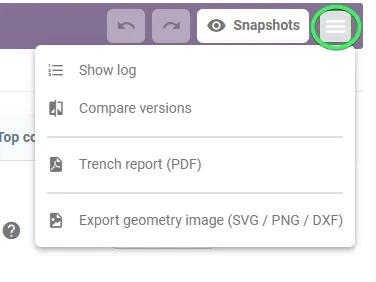
- Directly within the Trench cross-section page:
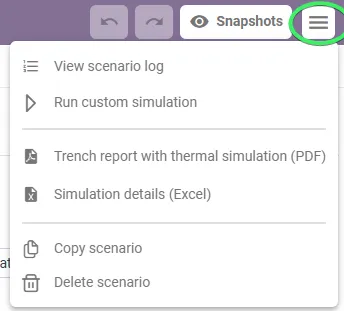
- From the Simulation page:
Trench Reports
Grøft Design® provides several different trench reports for download that contains different information aimed at different end-users
Trench Export (Excel)
This report is available in the “Reports and forms” section and includes:
- General project information
- Calculations of trench masses
- Material lists for all included trench sections
This report includes all the trench cross-sections in the project.
Trench Report (PDF)
This report is available in the “Reports and forms” section and includes:
- General project information
- Calculations of trench masses
- Material lists for all included trench sections
- Trench Cross-section picture
- Trench section information
This report includes all the trench cross-sections in the project. To download a report for a specific trench cross-section, you can download it directly from the Trench cross-section page.
Trench Report for Entrepreneurs (PDF)
This report is accessible from the “Reports and forms” section. Its purpose is to provide the contractor responsible for excavating the trench with all necessary information. The report contains:
- General project information
- Calculations of trench masses
- Material lists for all included trench sections
- Trench Cross-section picture
- Trench section information
The information in Trench section information has been tailored to meet the needs of the contractor/excavation team.
Trench Report with Thermal Simulation (PDF)
This report is accessible from the “Reports and forms” section. The report contains:
- General project information
- Calculations of trench masses
- Material lists for all included trench sections
- Trench Cross-section picture including the different thermal zones, heat maps, temperature profiles and magnetic profiles.
- Trench section information
- Thermal Simulation results
Only one Scenario/Thermal simulation can be exported per trench cross-section. This is selected in the dialog box that appears. This report includes all the trench cross-sections in the project. To download a report for a specific trench cross-section, you can download it directly from the Simulation page.
Simulation Details (Excel)
This report is accessible from the Simulation page. The report contains:
- General project information
- Information of trench masses
- Detailed Information on calculated items
- Detailed Thermal Simulation results
- Detailed Results from dynamic simualtions
The report provides a structured and comprehensive data foundation that is useful for further processing, analysis, and potential visualization in graphs or other presentation tools.
Exports of Trench Cross-section
It is possible to export the trench cross-section as an image file or a CAD file, allowing you to further process it in other programs.
CAD Export
To export all trench cross-sections in CAD, select the desired cross-sections in the overview page and export them from there.
To download a CAD file for a single trench cross-section, you can export it directly from the Trench cross-section page.
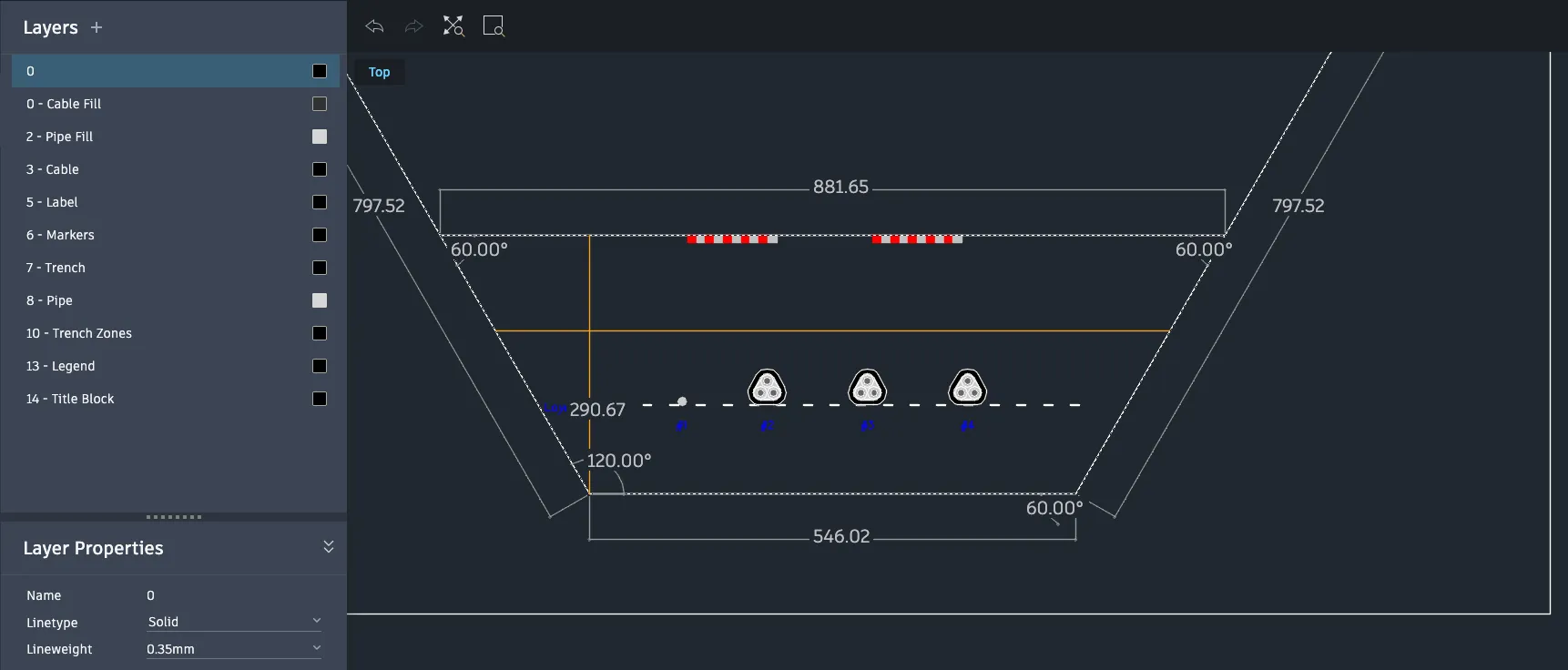
Image Export (PDF)
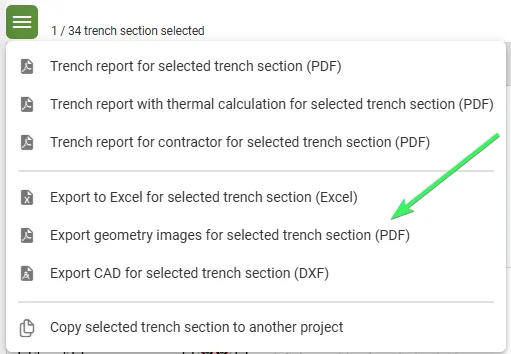
To export all images in PDF, select the desired cross-sections in the overview page and export them from there.
It is also possible to export several images per page, this is done in the dialog box that apperes when using this feature.
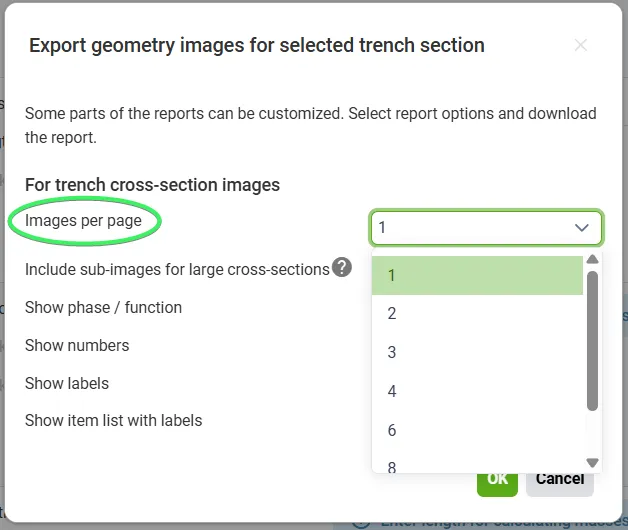
Image Export (SVG, PNG)
To export an image in SVG or PNG format, you can do so directly from the Trench cross-section page.